
How to Backtest a Forex EA: A Step-by-Step Guide for MT4 Traders
Backtesting is the only way to know if an EA has genuine edge before risking real money. Here's exactly how to run a proper MT4 backtest — and how to read the results correctly.
Pipstone Team
Updated February 23, 2026
Why Backtesting Matters
A backtest runs your EA against historical price data to simulate how it would have performed in the past. It's not a guarantee of future results — markets change — but it's the best available tool for understanding whether an EA has a genuine statistical edge or is just curve-fitted noise.
Never run an EA on a live account without first understanding its backtest performance across multiple years and market conditions.
Step 1 — Open the Strategy Tester
In MT4, press Ctrl+R or go to View → Strategy Tester. Select your EA from the dropdown. Choose the instrument (e.g. EURUSD) and model type.
Step 2 — Choose the Right Model
MT4 offers three modeling options:
- Every tick — most accurate, uses interpolated tick data. Required for scalping EAs.
- Control points — faster, less accurate. Acceptable for daily/H4 strategies.
- Open prices only — fastest, only valid for EAs that trade on bar open. Useful for long-term strategies.
Always use "Every tick" for scalping or M5/M15 EAs to get accurate results.
Step 3 — Get Quality Historical Data
MT4's default history data quality is often poor — especially on M1 charts used for tick modeling. For accurate backtests, download high-quality tick data from a provider like Dukascopy or Tickstory and import it into MT4's history center (Tools → History Center).
Aim for at least 5 years of data; 10 years is better. Include the 2020 COVID volatility and 2022 rate hike period — these stress-test an EA more effectively than normal market conditions.
Step 4 — Set Your EA Inputs
Click "Expert properties" to configure your EA's parameters. Use the settings recommended by the EA developer first. Don't optimize parameters at this stage — run the default settings to get a baseline.
Set the date range, starting balance, and spread. For realistic results, use your broker's actual average spread, not the minimum.
Step 5 — Run and Interpret the Results
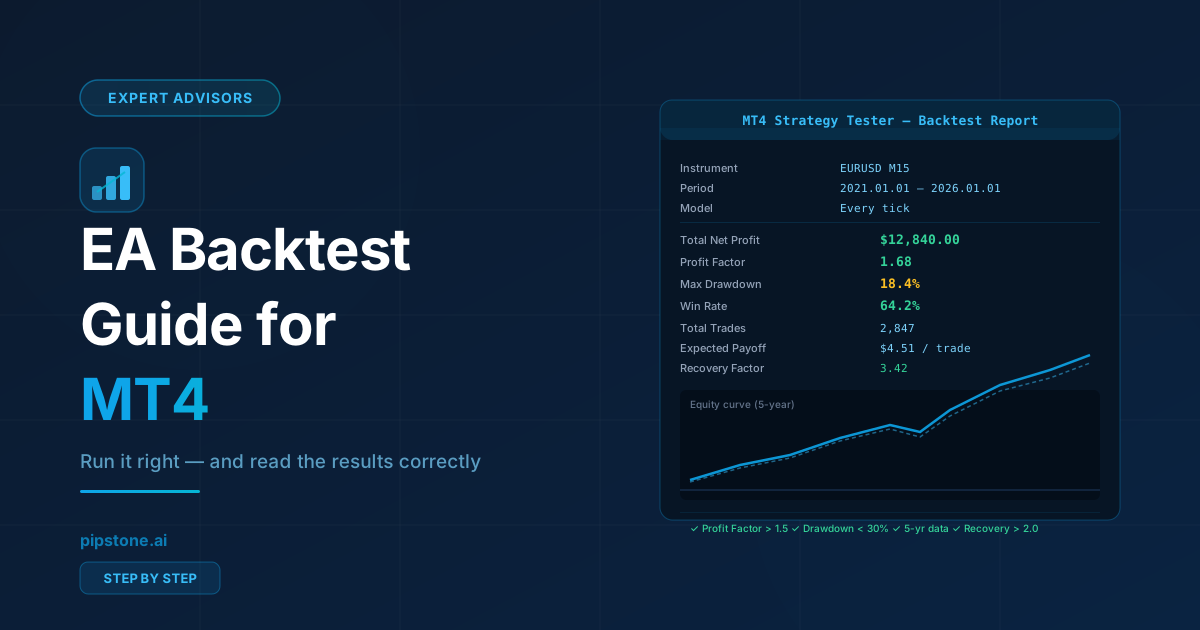
After the backtest completes, check these key metrics:
- Profit Factor — total gross profit ÷ total gross loss. Anything above 1.3 is generally considered acceptable; above 1.5 is good.
- Maximum Drawdown — the largest peak-to-trough drop in account equity. Under 30% is a healthy limit for most traders.
- Win Rate — percentage of winning trades. High win rate alone doesn't mean profitability; a 90% win rate with a 1:10 risk-reward is unprofitable.
- Expected Payoff — average profit per trade. Should be significantly positive after accounting for spread and commission.
- Recovery Factor — net profit ÷ maximum drawdown. Above 2.0 is a good sign.
Common Backtesting Mistakes
- Over-optimizing (curve fitting) — running optimization until numbers look perfect on historical data guarantees failure on live markets. Use optimization sparingly, and always validate on out-of-sample data.
- Ignoring spread — set a realistic spread in the tester. A 0-spread backtest will always look better than live performance.
- Short date range — a 6-month backtest during a trend market says nothing about performance in ranging conditions. Use 5+ years.
- Not checking equity vs balance — the equity curve (not just the balance curve) reveals if the EA has large floating losses that the balance curve hides.
Forward Testing: The Final Validation
After a satisfactory backtest, run the EA on a demo account for 1–3 months before going live. This forward test validates that the EA's live behavior matches the backtest and that your broker's execution doesn't significantly affect performance.
Ready to start trading smarter?
Get free professional EAs, earn cashback on every lot, and chat with Pip — Pipstone.ai's AI trading assistant. Free to join.